Guide
•
4 min read
•
Updated May 2026
Workplace Profiles
Store clinic, department, role, signature, and disclaimer details that generated outputs can reuse.
Why Workplace matters
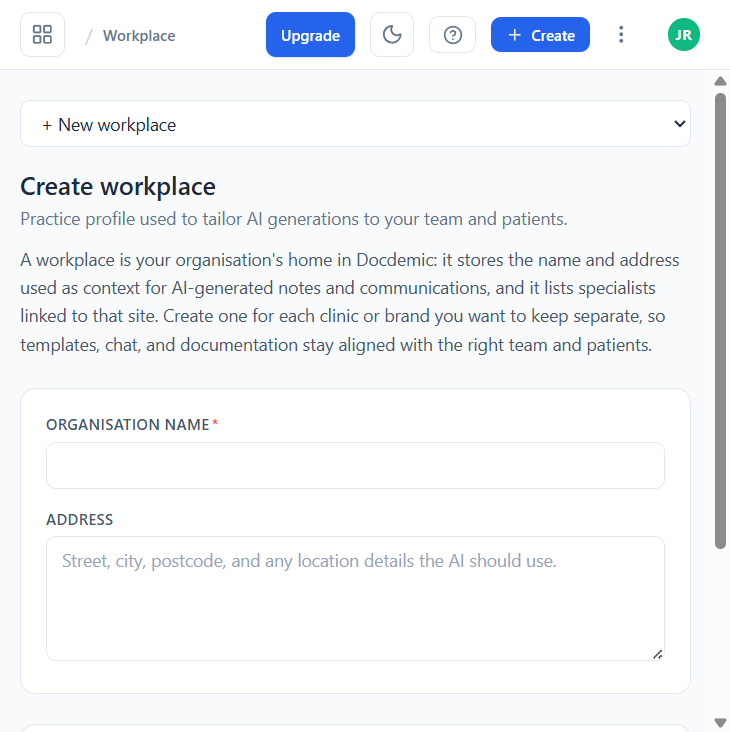
A workplace is your organisation's home in Docdemic: it stores the name and address used as context for AI-generated notes and communications, and it lists specialists linked to that site. That context can appear in letters, templates, signature blocks, and other formal documents, so you do not retype boilerplate every time.
Create a workplace
- Open Workplace from the All AI Tools menu and click + Create (or use the Create workplace button in the empty state).
- Fill in the organisation name and full address (street, city, postcode, and any location details the AI should use).
- Add specialists linked to that site — name, role, and credentials are picked up by signature blocks.
- Save. Switch active workplace from the dropdown at the top of the page when context changes.
When to create more than one
- You work across more than one clinic, department, rotation, or project.
- Different outputs need different addresses, titles, disclaimers, or signatures.
- A team needs shared wording that should stay consistent.
- You also do research under a different institutional affiliation than your clinical practice.