Guide
•
3 min read
•
Updated May 2026
Security Settings
Review password, MFA, locale, and account safety settings that protect clinical and research data.
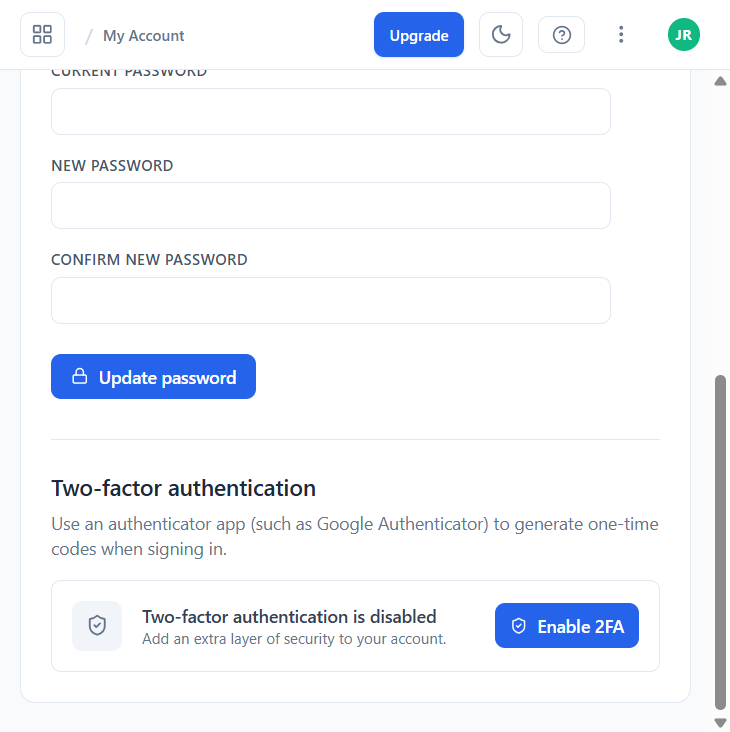
Change your password
- Open My Account and switch to the Security tab.
- Enter your current password, then a new password and confirmation.
- Click Update password. You stay signed in on this device.
Enable two-factor authentication (2FA)
In the same Security tab, the Two-factor authentication card lets you enroll an authenticator app such as Google Authenticator, 1Password, Authy, or Microsoft Authenticator. Click Enable 2FA, scan the QR code in your app, then enter the 6-digit code to confirm. Save the recovery codes shown afterwards in a safe place — they are the only way to regain access if you lose the device.
Routine checks
- Keep your email address current for verification and recovery.
- Use a unique password that is not shared with other systems.
- Turn on 2FA for any account that handles patient data, even if your organisation does not require it yet.
- Use the Account → Data tab if you need to export your data or close the account.
- Contact support or your administrator quickly if access looks wrong.