Complete Getting Started Guide
Set up your account, learn the Clinical Studio layout, create your first note, and find the research tools when you need them.
What you can do in Docdemic
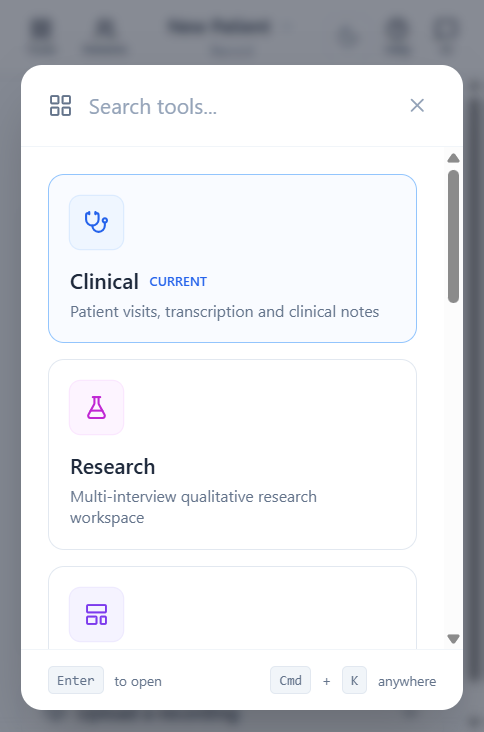
Docdemic is one workspace for clinical documentation and health research. Most users start in Clinical for patient visits, then add AI Templates, AI Chat, Library, Workplace, Team, or Research as their workflow grows. Use the Tools button (top-left) or the keyboard shortcut Ctrl/Cmd + K to jump between any of these areas at any time.
- Use Clinical to record or upload visits and produce notes.
- Use AI Templates to control the structure of notes, letters, summaries, and other generated documents.
- Use Research for interview studies, systematic reviews, and statistical tools.
- Use Workplace, Team, and Account to set context, invite colleagues, and manage your subscription.
Create your first clinical note
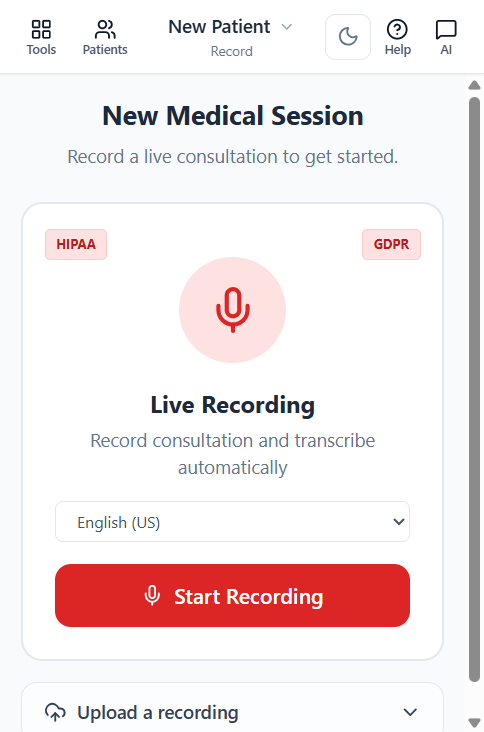
Start with a patient or visit, then choose whether to record live or upload an existing file. When processing is finished, review the transcript before relying on generated notes.
- Open Clinical from the left navigation.
- Choose an existing patient, create a new one, or open Past visits.
- Record live or upload audio/video, then wait for processing to finish.
- Review Transcript first, then open Clinical Notes and apply a template if needed.
Good next guides
If you are documenting visits, continue with Clinical Studio Overview and AI Templates. If you are doing research, start with Research Workspace Overview.