AI Chat and Research Assistant
Choose the right assistant for general questions, rewriting, file-based work, or PubMed-grounded research answers.
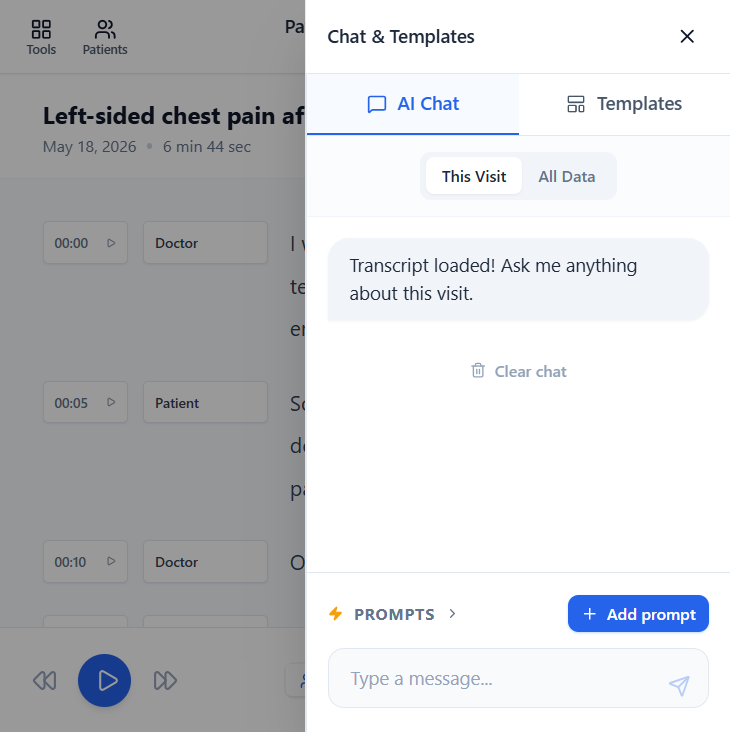
Where AI Chat lives
There are two places to chat. Inside Clinical, the AI panel on the right has an AI Chat tab tied to the loaded visit, with a This Visit / All Data toggle. From the All AI Tools menu, you can also open the standalone AI Chat section for general questions that are not tied to a specific transcript.
Choose the assistant by task
- Default Chat is for explanations, planning, summaries, teaching material, and everyday drafting.
- Rewriter improves text you already wrote while preserving facts you tell it not to change.
- Research Assistant retrieves PubMed references for the current question and should be checked against the source papers.
Save reusable prompts
Use the Prompts menu and + Add prompt below the message box to save instructions you reuse — for example a "summarise as a discharge note" or "explain to a patient at 8th-grade level" prompt. Saved prompts make routine asks one click instead of retyping.
Use chat safely
Do not use chat as a replacement for clinical judgment, supervision, or reading source literature. Tell the assistant exactly what context it may use and what must stay unchanged. Use Clear chat between unrelated topics so old context does not leak into a new answer.